
How to Compress PDF Files Online: Easy Ways to Reduce PDF Size
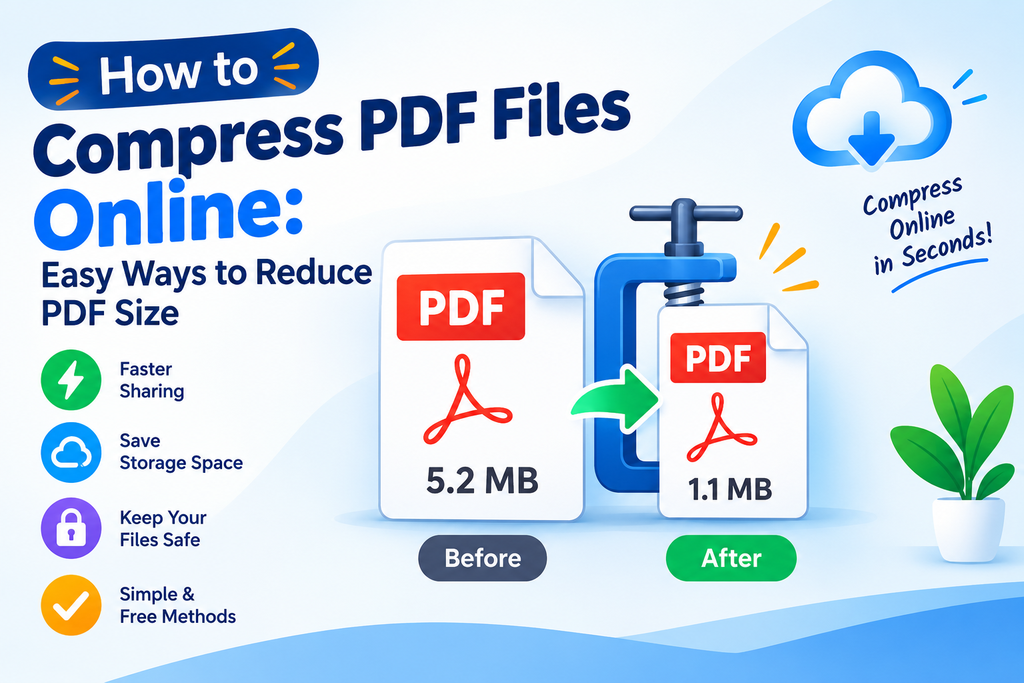
Have you ever tried uploading a PDF document only to discover that the file is too large? Large PDF files can be inconvenient when submitting assignments, sending email attachments, sharing reports, or uploading documents to websites.
PDF compression can help reduce file size and make documents easier to share. However, the amount of reduction depends on the contents of the PDF and the method used.
In this guide, we will explain how PDF compression works, why file sizes become large, and what you can do to make your PDF documents more manageable.
What Is PDF Compression?
PDF compression is the process of reducing the amount of storage space a PDF document requires. Depending on the method, compression may optimise images, remove unnecessary data, or store document information more efficiently.
Some PDFs become significantly smaller after compression, while others show very little improvement.
For example, a PDF containing several high-resolution photographs may have more opportunities for image optimisation than a simple document containing mostly text.
Why Are Some PDF Files So Large?
Several factors can increase PDF file size.
1. High-Resolution Images
Photographs and scanned pages can contain large amounts of image data. A PDF containing many high-resolution images may therefore require more storage space.
2. Scanned Documents
Scanned documents are often saved as images inside a PDF. If the scans have high resolution or use inefficient image settings, the resulting file may be large.
3. Embedded Fonts
Some PDFs include font data to preserve the appearance of the document on different systems. This additional information can increase the file size.
4. Large or Unnecessary Content
A document may contain extra pages, images, or other elements that are not required for its intended purpose.
If you are authorised to edit the document, removing unnecessary content may help reduce its size.
How to Compress a PDF Online
You can use a compatible online PDF compression tool to try to reduce the size of your document.
Follow these general steps:
Step 1: Choose your PDF file
Open a PDF compression tool and select the document you want to process.
Step 2: Start the compression process
Follow the tool’s instructions to begin optimising the PDF.
Step 3: Wait for processing to finish
The processing time depends on the file size, document complexity, device, and compression method.
Step 4: Download the result
Save the compressed PDF to your device.
Step 5: Compare the files
Check the original and compressed file sizes. Open the compressed document and review the text, images, and page layout before sharing it.
You can visit DigiConverter.online to explore the PDF tools currently available.
Five Practical Tips to Reduce PDF Size
1. Optimise Images Before Creating the PDF
If you are creating a PDF from photographs, consider whether the images need their original dimensions and resolution. Optimising oversized images before conversion can help reduce the final document size.
Do not reduce the resolution so much that important text becomes difficult to read.
2. Remove Unnecessary Pages
If you have permission to edit the document, remove pages that are not needed. A shorter document may require less storage space.
Always retain an original copy before making changes.
3. Use an Appropriate Compression Tool
Different tools use different techniques. Some perform basic structural optimisation, while others can re-encode images to reduce file size.
A tool that only optimises PDF structure may produce little or no reduction for some documents.
4. Avoid Repeated Compression
Repeatedly compressing the same PDF may not improve the result. If the tool re-encodes images, repeated processing can also reduce image quality.
Keep the original file and compare the results before deciding which version to use.
5. Check the Required File-Size Limit
If you are uploading a document to an application website, check the maximum allowed file size before compression.
For example, a website may have its own upload limit. Your goal should be to meet that requirement while keeping the document readable.
PDF Compression vs PDF Conversion
PDF compression and PDF conversion are two different tasks.
| Feature | PDF compression | PDF conversion |
|---|---|---|
| Main purpose | Reduce file size | Change file format |
| Example | Make a large PDF smaller | Convert JPG images to PDF |
| Changes format? | Usually no | Yes |
| Guarantees smaller file? | No | No |
| Output check needed? | Yes | Yes |
Understanding the difference helps you select the right tool for your task.
What If Your PDF Does Not Become Smaller?
Sometimes a compression tool produces a file that is nearly the same size as the original. In some cases, the output may even become larger.
This can happen when the document is already optimised or when the tool uses a method that adds some overhead without substantially reducing the content.
Try these suggestions:
- Check whether the original PDF is already small.
- Look for a compression method that supports image optimisation.
- If you created the PDF yourself, consider optimising the source images.
- Compare the resulting file size with the original.
- Avoid sacrificing important document quality just to achieve a smaller file.
Remember that a smaller file is not always a better file if the text or images become unreadable.
Is It Safe to Compress PDF Files Online?
Before uploading a PDF to any online service, consider whether it contains sensitive information.
Documents may include personal details, identity information, financial records, or confidential business data.
To protect your information:
- Read the website’s privacy policy.
- Check whether processing happens in your browser or on a remote server.
- Avoid uploading sensitive documents to services you do not trust.
- Keep a copy of the original document.
- Check the processed file before sharing it with others.
Different tools have different file-handling practices, so verify the privacy information for the specific service you use.
Explore PDF Tools on DigiConverter.online
DigiConverter.online aims to provide convenient online utilities for everyday digital tasks. Our website is being developed to help users access file conversion tools and practical calculators through a simple interface.
Visit the website to explore the tools currently available and check whether a suitable PDF utility meets your needs.
Website: https://digiconverter.online/
We aim to keep expanding our collection of useful online tools for students, professionals, and everyday internet users.
Frequently Asked Questions
Does compressing a PDF reduce its quality?
It depends on the compression method. Some methods optimise the document without visibly changing its content, while image re-encoding can reduce image quality.
Can every PDF be compressed?
Most PDFs can be processed by a suitable tool, but not every PDF will become smaller. The result depends on the file’s structure and contents.
Why is my compressed PDF still large?
The file may contain high-resolution images, scanned pages, or content that is already efficiently stored. A tool that does not optimise images may offer limited size reduction.
Is PDF compression the same as converting PDF to JPG?
No. Compression aims to reduce the PDF’s file size, while PDF-to-JPG conversion changes PDF pages into image files.
Where can I find online PDF tools?
Visit DigiConverter.online to explore the tools currently offered on the website.
Conclusion
Compressing PDF files can make document sharing and uploading more convenient. By choosing an appropriate compression method, optimising images, and checking the final document, you can work toward a smaller file without unnecessarily sacrificing quality.
Visit DigiConverter.online to explore our growing collection of online tools and make everyday digital tasks easier.